 Bye
ByeDPI for Android
An Android application that runs a local VPN service to bypass DPI and censorship — by running the ByeDPI SOCKS5 proxy on your phone and redirecting all traffic through it.
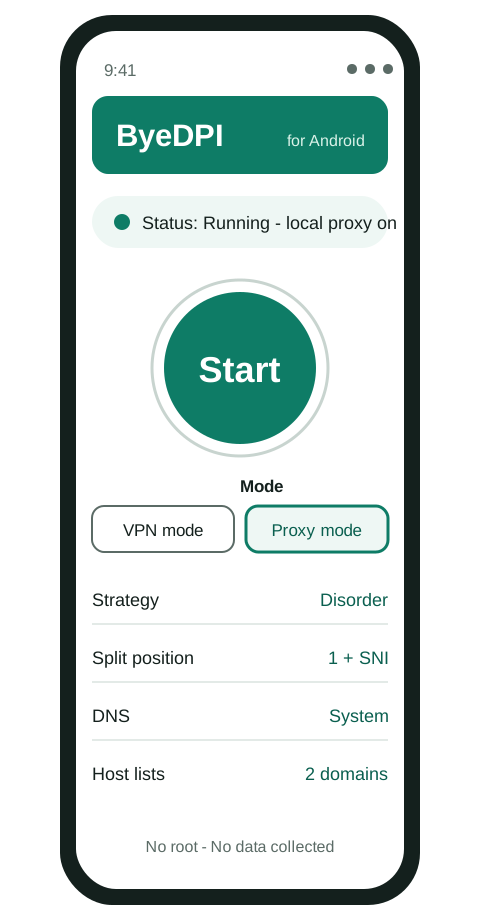
The app, developed by dovecoteescapee, takes the desktop ByeDPI core and wraps it in a normal Android app with a settings screen. Under the hood the same thing happens as on a computer: a SOCKS5 proxy starts locally, your traffic is routed into it, and the proxy applies desync methods — such as splitting or reordering the first packets of a connection — so your provider's DPI filter cannot read the name of the site you are opening and block it.
Is it a VPN? No — and that matters
The app uses Android's VPN mode because that is the mechanism Android gives apps for routing device traffic. But it does not send anything to a remote server. It does not encrypt your traffic and it does not hide your IP address. There is no server in another country, no account, and no company in the middle that could log you — because there is no company server at all. All traffic is processed on the device, and the app collects no data.
That also defines its limit honestly: if a service itself blocks visitors from your country, or a provider blocks a site's IP address outright rather than inspecting packets, a local desync tool cannot change that. ByeDPI is for DPI-based blocking and throttling, which is how most provider-level blocking works.
Main features
One-tap start
Open the app, tap Start, accept Android's VPN connection prompt, and try the blocked site or app.
Full settings editor
The same desync methods as the desktop core — split, disorder, fake packets, OOB, TLS record options and more — adjustable in the UI.
Proxy mode
Run ByeDPI as a plain SOCKS5 proxy on 127.0.0.1:1080 instead of VPN mode, for example to combine it with AdGuard.
No root
All application features work without root access.
Light on battery
Because nothing is encrypted or tunnelled to a faraway server, the cost is little more than the local proxy itself.
Updates via Obtainium
Add the GitHub repository in Obtainium, or use the IzzyOnDroid listing, to be notified about new releases.
Install in four steps
Download the APK
From the official releases page — see the download page for the safe source and the fake-download warning.
Install it
Allow the “install from this source” prompt for your browser or file manager if Android asks.
Start it
Open the app, tap Start, and accept the VPN connection request.
Test, then tune if needed
Open a blocked site. If it still fails, the defaults do not match your provider — work through the best settings guide and the troubleshooting guide, changing one option at a time.
Using it with AdGuard
Android allows only one VPN-mode app at a time, so ByeDPI and AdGuard cannot both run in VPN mode together. The workaround is built in: run ByeDPI in proxy mode and tell AdGuard to use it as its upstream proxy (SOCKS5, 127.0.0.1, port 1080). The full steps are in the ByeDPI with AdGuard guide.