 Bye
ByeDPI review: brilliant at one job, honest about the rest
Our verdict after working through the official documentation, both repositories and every documented method: this is the sharpest tool in its narrow category — and the category really is narrow.
Last updated: November 3, 2026 · Scores below are this site's editorial scores, not user ratings.
Verdict first
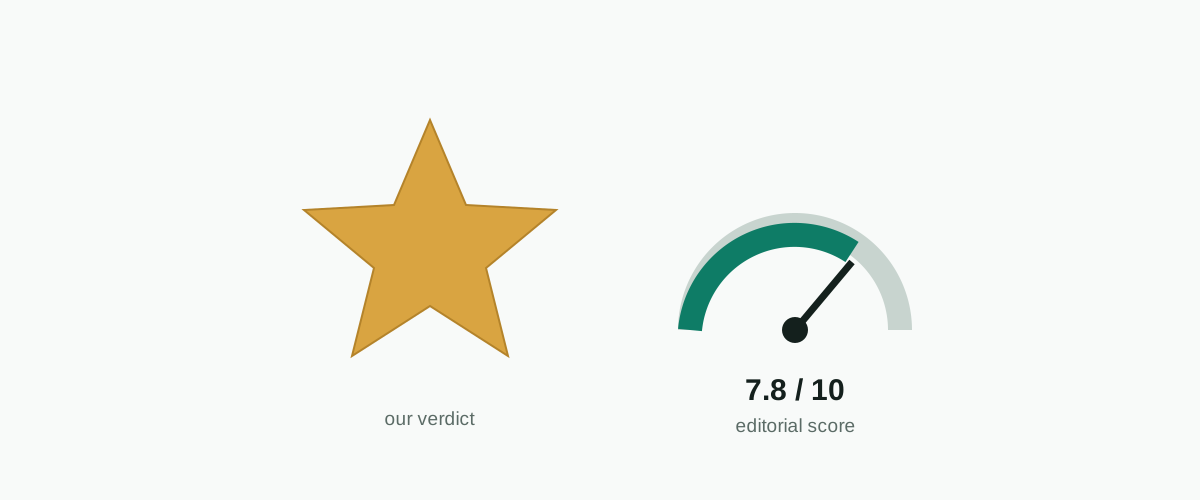
Editorial score: 7.8 / 10. ByeDPI does exactly one thing — defeats deep packet inspection locally, for free, with no remote server — and does it with more methodical depth than any comparable open-source tool we assessed. It loses points where it was always going to: there is no friendly on-ramp for desktop users, the right settings are provider-specific homework, and whole classes of blocking are simply outside its design. If your problem is DPI, start here. If your problem is anything else, this review will talk you out of it, section by section.
| Category | Editorial score | What earned it |
|---|---|---|
| Effectiveness against DPI | 8 / 10 | The widest documented method set in its class — split, disorder, fake, OOB, TLS record splitting — plus auto mode to combine them. |
| Ease of use | 6 / 10 | Android app: genuinely one tap to start. Desktop: a command line, a proxy setting, and a testing ladder. The gap between those two scores is the product. |
| Performance | 9 / 10 | No tunnel, no encryption overhead, no remote hop. A small C program; unblocked traffic is essentially untouched, especially scoped with auto mode. |
| Privacy | 9 / 10 | Local-only by architecture, collects nothing, open source under MIT/GPL-3.0. It cannot log you to a server it does not have. Held back from 10 only because it also cannot protect you — it is not a privacy tool, and pretending otherwise in scoring would be dishonest. |
| Documentation | 7 / 10 | Deep, precise, and the source of every worked example on this site — but dense, partly shorthand, and it assumes networking fluency most readers do not have. |
What we checked, and how
This review is based on a structured check of the official sources, not on testimonials or download numbers — this site publishes neither, anywhere. We worked through the core repository's full options documentation (every desync flag and its stated platform caveats), the documented practical recommendations for Linux and Windows, the Android project's README, FAQ and release history, and the licensing of both projects. Where this review makes a behavioural claim — for instance, that Windows needs split paired with disorder because its retransmission differs — it is traceable to a specific passage in that documentation, several of which our how-it-works guide reproduces with the original sending orders. Hands-on readers can repeat every check: both sources are linked in the next section.
How we review / sources
- Core: github.com/hufrea/byedpi — documentation, options reference, releases.
- Android: github.com/dovecoteescapee/ByeDPIAndroid — README, FAQ, releases.
- Method and corrections approach: see the about page.
What impressed us in the detail
Three things. First, auto mode is genuinely thoughtful design: applying desync only when a block-like event occurs, with per-host scoping and caching, turns a bag of tricks into something you can leave running — most rival tools make you choose between "always on and occasionally breaking things" and "manual every time". Second, the documentation does not hide its sharp edges: it tells you fake can be unstable on Windows, that OOB and TLS-record tricks can confuse sloppy middleboxes, that TTL must be tuned so a fake dies between filter and server. Tools whose docs admit weaknesses are the ones whose strengths you can trust. Third, the Android app respects its users: no root, no data collection, a proxy mode that plays well with AdGuard instead of demanding the whole device — the arrangement our AdGuard guide documents.
Where it falls short
The desktop experience is a command line and a prayer unless you follow a methodical process — our settings ladder exists because the tool itself offers no guidance when a method fails. There is no graphical desktop app, no official macOS story beyond pointers to similar projects, and no possible answer to IP-level blocking or geo-blocking, as the troubleshooting guide states bluntly. And the naming ecosystem around it — ByeByeDPI, GoodbyeDPI — guarantees a steady supply of users who installed the wrong project entirely.
Pros
- Free and open source, auditable by anyone
- No remote server: nothing to trust, pay, or be logged by
- Deepest documented desync method set in its class
- Auto mode and host scoping make it set-and-forget
- Android app needs no root and collects no data
Cons
- Not a VPN: no IP hiding, no encryption, no geo-unblocking
- Desktop setup and tuning are command-line work
- Settings are provider-specific; no universal best command
- Useless against IP-level blocking
- Confusingly named neighbours cause real install mistakes
Who should use it — and who should not
Use it if specific sites or services are blocked or throttled by your provider, you are on Android, Linux or Windows, and you are willing to spend twenty methodical minutes on settings. Do not use it if you need to change your apparent country, hide your activity from your provider in general, or unblock a service that itself rejects your region — buy a reputable VPN for those jobs and do not let any desync tool's marketing tell you otherwise.
Alternatives, honestly assessed
| Alternative | When it beats ByeDPI | When ByeDPI wins |
|---|---|---|
| GoodbyeDPI (ValdikSS, Windows) | System-wide Windows coverage without per-app proxy settings. | Everywhere else: platforms, proxy scoping, Android, method transparency. Full comparison in our comparison guide. |
| SpoofDPI | macOS and Linux users who want a simple single-purpose command-line tool on those systems. | Depth of methods, auto mode, Android app, and Windows support. |
| A commercial VPN | Geo-blocking, IP-level blocks, general privacy from a provider. | Cost (VPNs charge; ByeDPI is free), speed on unblocked traffic, and not having to trust a third party with all of it. |
Ready to try it? The only safe route is the download page, then the installation guide. Already tried it and stuck? The support page is organised by symptom.
The guides behind this review
Our scores rest on the same material as our guides: how ByeDPI's desync methods work for effectiveness, the best-settings ladder for ease of use, and the troubleshooting guide's failure cases for its limits.